ONU fibre : définition, fonctions et types (GPON, EPON, xPON)
Sommaire
Si vous suivez le monde de la fibre optique, vous rencontrerez inévitablement l'acronyme ONU. Présenté comme "équivalent de l'ONT" ici, comme un équipement de palier là, ou comme un modem fibre ailleurs, l'ONU est un terme flou qui recouvre plusieurs réalités techniques.
Pourtant, choisir la bonne ONU est crucial quand on veut : remplacer sa box opérateur par un équipement tiers, déployer un réseau POL dans un hôtel, équiper un RIP ou simplement comprendre ce qu'il y a derrière la "box fibre". Ce guide décortique la définition, les fonctions, les types (EPON, GPON, xPON) et les modèles disponibles pour chaque usage.
Qu'est-ce qu'une ONU ?
ONU signifie Optical Network Unit. C'est un dispositif terminal optique situé côté abonné (ou en local technique amont) dans un réseau d'accès fibre. L'ONU :
- Côté réseau : interface optique (SC/APC ou LC/APC) vers le splitter et l'OLT
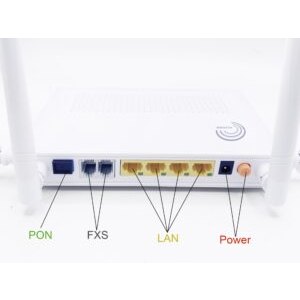
- Côté utilisateur : interfaces électriques (Ethernet RJ45, POTS RJ11, WiFi, USB, CATV)
- Conversion bidirectionnelle : optique ↔ électrique en continu
- Conversion A/D et D/A : numérise les signaux voix analogiques pour la VoIP
- Multiplexage : gère simultanément Internet, TV, VoIP, IoT sur le même lien fibre
À ne pas confondre avec l'ONT (Optical Network Terminal) : en pratique, les deux désignent le même équipement, mais l'ONT est strictement chez l'abonné, tandis que l'ONU peut être plus en amont (palier, local technique).
Fonctions principales d'une ONU
| Fonction | Description |
|---|---|
| Triple Play | Internet + IPTV (multicast) + VoIP simultanément sur une fibre |
| Réception broadcast | Reçoit les données descendantes envoyées par l'OLT |
| Bufferisation émission | Met en cache les données Ethernet en attente d'envoi, respecte la fenêtre TDMA attribuée par l'OLT |
| Administration OAM | Gestion à distance par l'OLT : diagnostic, configuration, mise à jour firmware |
| Chiffrement AES | Protège les données descendantes contre l'écoute par d'autres ONU sur le même port PON |
| IGMP snooping | Filtre le trafic IPTV multicast : ne réplique que les flux demandés |
| QoS | Priorise la VoIP, puis l'IPTV, puis Internet selon les profils opérateur |
L'ONU est donc bien plus qu'un simple convertisseur : c'est un équipement intelligent administré à distance par l'OLT opérateur.
Position de l'ONU dans le FTTx
Selon où l'ONU est installée dans le réseau, on parle de différentes variantes de FTTx :
- FTTC (Fiber To The Curb) : ONU placée dans un boîtier de rue, dessert plusieurs logements via paires torsadées
- FTTB (Fiber To The Building) : ONU placée au pied d'immeuble, dessert les logements via Ethernet Cat 6
- FTTN (Fiber To The Node) : ONU placée à un nœud de quartier, dessert les foyers via VDSL2
- FTTH (Fiber To The Home) : ONU directement chez l'abonné (= ONT). Le standard français aujourd'hui.
- FTTO (Fiber To The Office) : ONU chez un professionnel, souvent avec SLA renforcé
En France, la grande majorité des abonnés fibre sont en FTTH pur : l'ONU (ou ONT) est dans le logement, branchée à la PTO murale via une jarretière SC/APC.
Pour mieux comprendre les différents acronymes, voir notre article FTTP, FTTH, FTTC, FTTx expliqués.
Types d'ONU : GPON, EPON, xPON
1. ONU GPON (ITU-T G.984)
ONU compatible avec la norme ITU-T GPON, dominante en France, Europe et USA. Débits :
- Descendant : 2,5 Gbps partagés entre abonnés
- Montant : 1,25 Gbps partagés
- Longueurs d'onde : descente 1490 nm, montée 1310 nm
- Splitting jusqu'à 1:128
2. ONU EPON (IEEE 802.3ah)
ONU compatible avec la norme IEEE EPON, historiquement dominante en Asie. Débits :
- Symétrique 1,25 Gbps
- Plus simple à déployer (pas de profils service complexes)
- Déploiement usuel en POL d'entreprise (écosystème IEEE)
3. ONU xPON (dual-mode)
ONU compatible à la fois GPON et EPON, commutable via configuration firmware. Avantages :
- Stock mutualisé pour opérateurs internationaux
- Migration facile d'un réseau EPON vers GPON
- Compatibilité maximale avec différents OLT
Pour un déploiement en France, privilégiez GPON (compatible opérateurs majeurs). Pour un POL international ou un intégrateur, xPON dual-mode offre plus de flexibilité.
Modèles Elfcam disponibles
Notre gamme ONU couvre tous les usages :
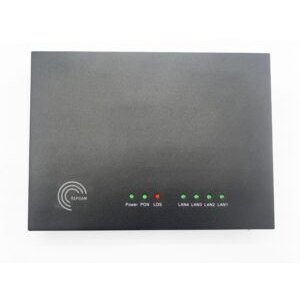
ONU Elfcam recommandées
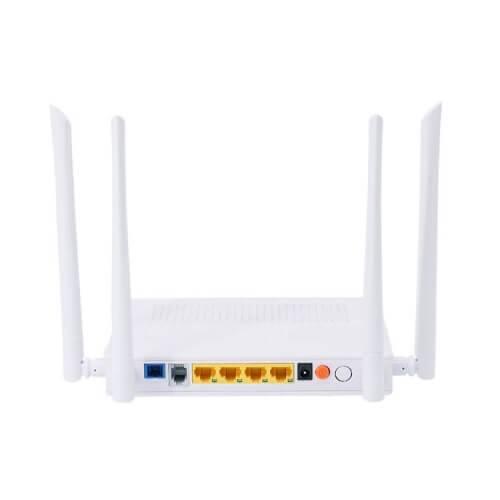
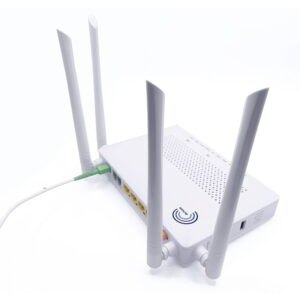
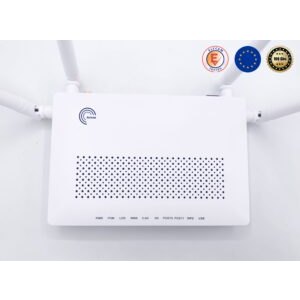
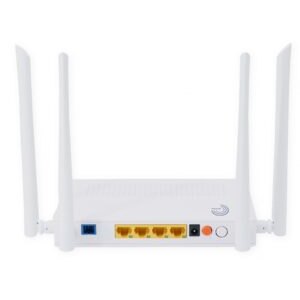
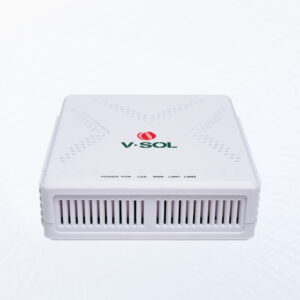
- V-SOL HGU xPON 4GE+POTS+USB 3.0+WiFi 6 — tout-en-un FTTH moderne
- V-SOL HGU xPON 4GE+POTS+USB+WiFi 5 — version WiFi 5 économique
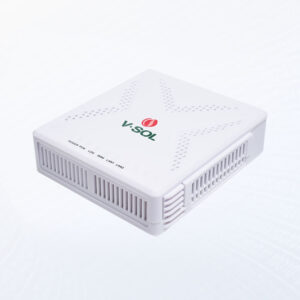
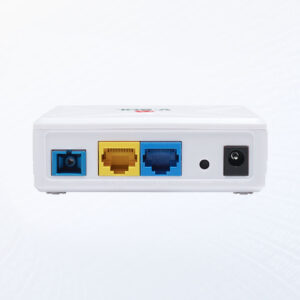
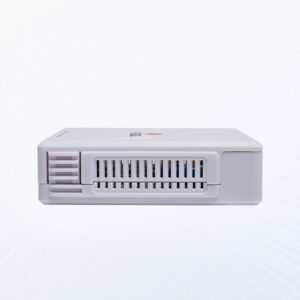
- V.SOL ONU GPON/EPON 1GE+2,5GbE — SFU multi-gig pour débit maximal
- V-SOL xPON ONU 2GE+CATV+USB 3.0+WiFi — triple-play avec CATV pour hôtel
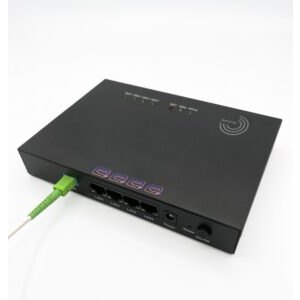
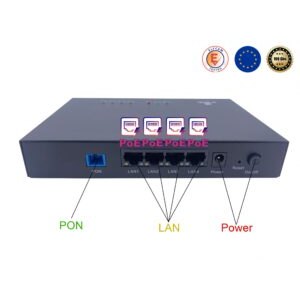
- V-SOL xPON ONU 1GE+3FE PoE — PoE reverse pour alimenter l'ONU via le LAN
- Elfcam ONU 1GE GPON/EPON SC/APC — SFU entrée de gamme pour test/lab
Focus sur 3 modèles clés
1. xPON HGU WiFi 6 (Ref 7011)
Le haut de gamme : chipset MediaTek WiFi 6, USB 3.0 pour partage NAS, 4 ports Gigabit, POTS VoIP. Débit WiFi jusqu'à 1800 Mbps. Support IPv4 et IPv6. Mode dual GPON/EPON commutable.
2. EPON ONU 1GE+1FE WiFi (économique)
Solution basique : 1 port Gigabit + 1 port Fast Ethernet + WiFi 802.11b/g/n jusqu'à 300 Mbps. Distance optique jusqu'à 20 km. Idéal POL d'entreprise ou déploiement éducatif.
3. GPON ONU 4FE PoE inversé (Ref 7025)
Spécialisée : 4 ports Ethernet auto-adaptatifs 10/100 Mbps. Fonction Reverse PoE +12/+24 V DC : l'ONU peut être alimentée via un des ports Ethernet au lieu d'une alim secteur. Pratique pour installations en hauteur ou boîtiers étanches.
Comment choisir son ONU
- Norme PON : GPON pour France/Europe, xPON pour flexibilité
- Usage : box complète (HGU) ou simple terminal (SFU) derrière un routeur WiFi 6 mesh tiers
- Débit : 1 GE suffit jusqu'à 1 Gbps abonnement, 2,5 GE pour multi-gig
- WiFi intégré : WiFi 5 correct, WiFi 6 recommandé en 2026
- POTS : nécessaire si vous conservez un téléphone fixe VoIP opérateur
- Nombre de ports LAN : 2-4 ports pour usage domestique, > 4 pour POL
- Alimentation : 220 V AC standard ou PoE (pour installation murale/extérieure)
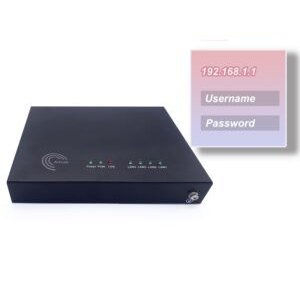
- Compatibilité opérateur : LOID, SLID, VLAN — vérifier avant achat
Conseil : HGU vs SFU + routeur tiers
Pour un particulier non-geek, l'HGU tout-en-un est le plus simple : une box, tout marche. Pour un utilisateur avancé qui veut gérer son WiFi (mesh, mise à jour OpenWRT) ou sa sécurité (pfSense, OPNsense), un SFU 1GE+2,5GbE associé à un routeur WiFi 6 Mesh AX3000 ou un firewall dédié offre beaucoup plus de flexibilité.
FAQ — Tout savoir sur l'ONU
1ONU et ONT, quelle différence ?
2Une xPON dual-mode fonctionne-t-elle partout ?
3Mon HGU remplace-t-il ma box opérateur ?
- Free (Freebox Ultra/Delta) : oui, ONT SFP tiers autorisé
- Orange, SFR, Bouygues : non autorisé officiellement (LOID propriétaire)
- Opérateurs alternatifs, RIP : souvent oui
4Qu'est-ce qu'une ONU PoE reverse ?
5Puis-je utiliser plusieurs ONU sur la même fibre ?
6Puissance de réception optique de l'ONU ?
- Sensibilité minimale : -28 dBm (GPON), -27 dBm (EPON)
- Saturation : -8 dBm
- Plage de fonctionnement optimale : -20 à -12 dBm
7Consommation électrique d'une ONU ?
- SFU simple : 3-5 W (équivalent à une LED)
- HGU WiFi 5 : 7-10 W
- HGU WiFi 6 avec USB 3.0 : 10-15 W
- HGU Premium WiFi 7 multi-gig : 15-25 W
8Livraison et support Elfcam ?
En résumé
L'ONU est le terminal fibre côté abonné : elle convertit l'optique en Ethernet, WiFi, VoIP et IPTV. Trois grandes familles : GPON (France, Europe), EPON (Asie, POL d'entreprise), xPON dual-mode (flexibilité).
Pour un usage domestique FTTH, le HGU WiFi 6 tout-en-un est le choix optimal. Pour un usage pro ou geek, privilégiez un SFU 2,5GbE combiné à un routeur WiFi 6 Mesh. Vérifiez toujours la compatibilité avec votre opérateur avant achat, et complétez la chaîne avec jarretières, PTO et câbles Ethernet.

















